

How to Access and Use Deriv Go: Login and Account Tips
🔒 Learn how to log in securely to Deriv Go, manage your account, recover access, and use key features for smoother trading on this popular South African platform.
Edited By
Henry Collins
Accessing your Deriv account is the first step to engaging with the online trading platform that offers contracts for difference (CFDs), forex, cryptocurrencies, and more. For South African traders, knowing the right steps to log in, manage your credentials, and maintain security can save headaches and ensure smooth trading.
Deriv makes it straightforward to get started, but a few practical touches make all the difference. You’ll need your registered email address or client ID, plus a secure password to sign in. If you prefer, you can also use Deriv’s social login options, like Google or Facebook, to get instant access.

Keep your login details safe and never share your password. Use a strong password that mixes letters, numbers, and symbols to keep your account protected from unauthorised access.
If you hit a snag when logging in — such as forgetting your password or encountering verification issues — Deriv has a clear process for password resets and verification checks. Usually, an email with a reset link is sent within minutes, so keep an eye on your inbox (and spam folder, just in case).
Besides login basics, managing your account settings is vital. You can update your personal info, adjust notifications, and set up two-factor authentication (2FA) straight from your user dashboard. Switching on 2FA is a good security move that adds an extra layer of protection by requiring a code from your mobile device whenever you log in.
South African traders should also be mindful of local internet connectivity and data costs, especially during loadshedding periods when mobile data usage spikes. It may help to keep your login information saved securely on your device or browser to avoid delays.
In essence, mastering your Deriv login means:
Knowing your credentials and keeping them private
Using social logins for quicker access if preferred
Resetting your password correctly if needed
Enabling two-factor authentication for security
Managing settings via the dashboard to keep control over your account
This foundation lets you focus on trading without fuss, equipped to deal with common login challenges and confident that your account details are secure.
Next, we'll look at common login problems South African users face and how to solve them efficiently.
Starting out with your Deriv account login sets the foundation for a smoother trading experience. It’s more than just entering your details—getting this right ensures you have reliable access to your funds, tools, and trading activities. In the South African context, where internet connectivity can vary and security concerns are real, mastering the login entry and setup steps helps avoid unnecessary delays or lockouts.
You’ll primarily access your Deriv account through the official website or the mobile app available for Android and iOS. Using the official platforms is key to avoiding scams or phishing attacks which could lead to loss of funds. The website is designed for desktop and laptop use, while the mobile app is handy when you want to check your trading positions or balances on the go, especially in towns where data costs are a factor.
To log in, simply enter your registered email address or username followed by your password. Always double-check your spelling; many login hiccups come from simple typos. Remember that passwords are case-sensitive. If you prefer extra security, enable two-factor authentication (2FA) right after setup to add a second layer of protection.
Deriv supports most modern browsers like Chrome, Firefox, Safari, and Edge. It’s best to keep your browser updated for security and faster loading times. On devices, whether you’re using a desktop, laptop, tablet, or smartphone, ensure your operating system is current. Older devices or outdated software might not interface correctly with the platform and could cause glitches during login.
When you first register with Deriv, you’ll provide your email, create a username, and secure a password. It’s straightforward but be ready to supply accurate personal information reflecting your South African ID or passport details. This helps with account verification and complies with regulatory requirements under FICA (Financial Intelligence Centre Act).
Before you can start trading, Deriv mandates verifying your identity and sometimes your address. This often means uploading a copy of your ID book or passport and a recent utility bill or bank statement. It’s a standard step to prevent fraud and meet compliance standards. Having these documents ready speeds up the approval process.
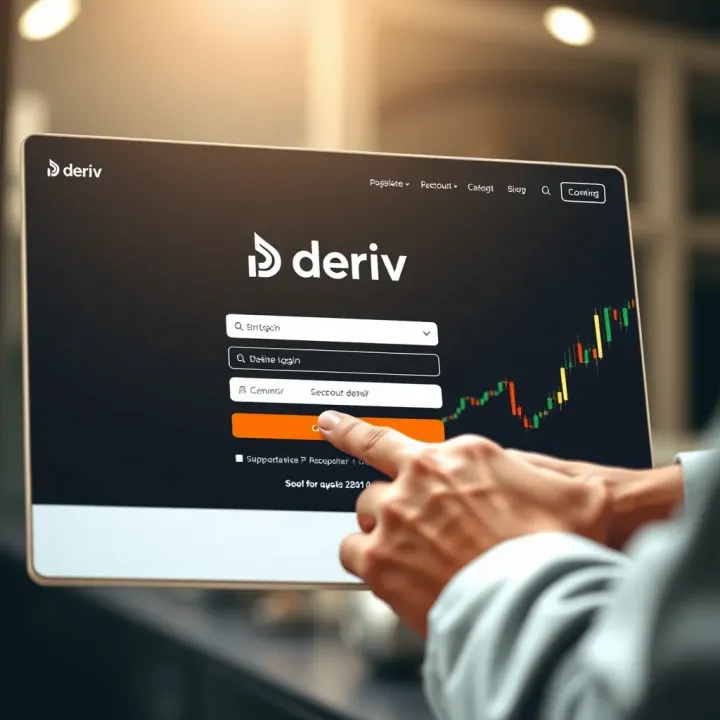
After registration and verification, you’ll receive confirmation that your account is activated. At this point, try logging in immediately to confirm your access works without hiccups. If you encounter trouble, it’s better to solve it early through Deriv’s support channels rather than when you need to place a trade urgently.
Setting up your Deriv account correctly from the start avoids hassles later, especially in the fast-moving world of trading where delays can cost you.
Encountering login issues on Deriv can be frustrating, especially when you need quick access to your trading account. This section focuses on common problems users face when logging in and practical solutions tailored for South African traders. Understanding these issues helps avoid delays and keeps your trading uninterrupted.
Forgotten username or password: Forgetting login details is common, particularly if you don't use your Deriv account daily. If you lose your username, check your email inbox for registration or notification emails from Deriv—they typically include your username. For password troubles, Deriv has a reset feature that lets you create a new password securely. This process prevents unauthorized access and ensures you regain control quickly.
Account locked or suspended: Multiple incorrect login attempts usually trigger account locks as a security precaution. If this happens, the lock is often temporary and lasts about 30 minutes. However, accounts may also be suspended due to policy violations or suspicious activity. In such cases, contacting Deriv’s support team is necessary to clarify the situation and restore access. Being aware of login limits avoids unnecessary lockouts.
Technical errors or connectivity issues: Sometimes your login issues relate to technical glitches or unstable internet rather than incorrect credentials. For instance, slow connections or VPN interference can cause timeout errors. South African users should check their network stability, possibly switch from mobile data to Wi-Fi or vice versa, and disable VPNs when logging in. Also, clearing your browser cache can resolve persistent loading problems.
Using the password reset feature: To reset your password, use the official Deriv password reset option found on their login page. You'll receive an email with a secure link that expires after a short period. This method ensures only you can initiate the reset. Avoid clicking unexpected password reset emails; always start the process via the official site to minimise risk.
Importance of strong, unique passwords: Having a strong password that mixes uppercase, lowercase, numbers, and symbols helps prevent hacking attempts. Never reuse passwords from other sites, especially your email or bank accounts. A good example is combining random words like "Storm9!ShoeBoat"—easy to remember yet hard to guess. Using a password manager can simplify managing varied complex passwords.
Avoiding phishing scams during password reset: Phishing scams often target password resets by sending fake emails mimicking Deriv. These may ask for your login details or direct you to fraudulent sites. Always verify the sender’s email and the URL before clicking any link. If in doubt, type deriv.com directly into your browser and navigate from there. Reporting suspicious emails to Deriv protects others from falling prey.
Quick tip: Regularly update your password and enable two-factor authentication on your Deriv account. It adds an extra security layer, making hacking attempts much harder.
By familiarising yourself with typical login problems and how to solve them, you’ll navigate your Deriv account more smoothly and securely from South Africa or beyond.
Keeping your Deriv account secure matters a lot. Given the financial transactions and personal data involved, any breach could cost you not just money but also time and peace of mind. Taking practical steps to shield your login details reduces the likelihood of unauthorised access or fraud.
Two-factor authentication setup adds an extra layer of protection by requiring a second form of verification beyond just your password. For example, after entering your password, you might receive a code via SMS or an authenticator app. This means even if someone guesses or steals your password, they won’t be able to get in without the second factor. It’s easy to enable in your Deriv account settings and provides a practical barrier against hacking.
Recognising and avoiding phishing attempts is crucial. Phishing is when scammers send fake emails or messages trying to trick you into sharing your login details. These messages might look like they're from Deriv but contain suspicious links or ask for sensitive info. Always check the sender’s address carefully, hover over links to see their real destination, and avoid clicking on anything you’re unsure about. If in doubt, go straight to Deriv’s official site rather than using links in emails.
Managing devices and sessions means keeping track of where your account is logged in. Deriv allows you to see active sessions and log out from devices remotely. This is handy if you've used a shared or public computer and forgot to log out. Regularly reviewing your sessions stops unauthorised users from staying connected and reduces risk.
Safe password storage methods involve using secure tools to remember your passwords instead of notes or browser storage, which can get compromised. Password managers like LastPass or Bitwarden safely store your passwords and help generate strong ones. This avoids common mistakes like reusing simple passwords that hackers can guess easily.
Regularly updating login details is wise. Change your password every few months or if you suspect any unusual activity. This practice limits the chance of an old, leaked password being exploited. When updating, avoid obvious choices such as “password123” or your name and consider mixing letters, numbers, and symbols.
Logging out from shared or public devices is a simple but often overlooked habit. If you log in from a public computer or a friend’s device, always log out completely afterwards. Closing the browser window alone doesn’t guarantee your session has ended. This step prevents someone else from accessing your account if they use the same device.
Solid security starts with small daily habits. By setting up two-factor authentication, staying alert to phishing, managing your devices, and practising strong password discipline, you keep your Deriv account safer from unwelcome guests.
Once you're logged in, managing your Deriv account effectively is key to staying on top of your trading activities. Handling your account after login ensures you can update critical information, tailor your trading experience, and keep track of your financial movements without hassle. This section walks through practical steps to navigate your dashboard, update details, and adjust preferences.
Your Deriv account dashboard acts as the central hub for everything related to your trading. It gives you a clear view of your portfolio, recent transactions, and access to all trading platforms. For example, from the dashboard, you can quickly switch between CFDs, forex, or synthetic indices trading without having to log out or open new tabs.
Beyond basic navigation, the dashboard offers easy access to tools like charts, market news updates, and real-time data feeds. This setup allows experienced traders to make quick decisions without scrambling through multiple pages, while newcomers find it straightforward to locate important features and get started.
Accessing the actual trading platforms and tools is seamless from the dashboard. Whether you're using Deriv’s web platform or the DTrader app, these trading tools are just a click away. For instance, if you trade options, accessing the relevant contracts and setting expiry times is straightforward. Similarly, the platform supports opening and managing multiple positions simultaneously, an essential feature for active traders.
Keeping an eye on your account balances and transaction history is foundational to smart money management. Your dashboard presents current balances clearly, including available funds and any betting stakes. Moreover, the transaction history shows deposits, withdrawals, and trade activities, letting you audit your account performance and plan your next moves.
Keeping your contact details up to date is vital. Changes in your phone number, email, or address affect communication, including verification steps and alerts. Say you moved recently—updating your address in the account prevents any hiccups when validating your identity during withdrawals.
Setting notification preferences helps you stay informed without being overwhelmed. You can tailor alerts for price changes, account activities, or promotional offers via email, SMS, or app push notifications. This way, you won't miss critical market updates or account alerts, but can also avoid unnecessary distractions.
Linking your payment methods streamlines deposits and withdrawals, essential for smooth trading. Deriv supports linking multiple payment gateways, such as Visa/MasterCard, Skrill, or ecoPayz, depending on your location. For instance, South African users may prefer e-wallet options that avoid high card fees. Managing these linked methods securely ensures you can add or remove options as needed, keeping your funds moving efficiently.
Regularly managing and updating your account details and preferences safeguards your investment and enhances your trading experience, especially given market fluctuations and personal circumstances.
Proper management after login is not just about convenience—it’s essential for security and smooth trading. Stay on top of these aspects to avoid surprises and trade confidently.
Losing access to your Deriv account can slow down your trading or investing plans, especially when the market moves fast. Knowing where to turn for help and what to expect ensures you can get back in the game without unnecessary delays. This section covers the practical steps and support options available to South African users facing login issues.
Deriv offers several support channels to help with login problems, including live chat, email, and phone support. For most users, the live chat option on the Deriv website or mobile app is the quickest way to get in touch with a support agent. Email allows for more detailed explanations or attachments, while phone support provides real-time, voice-based assistance when available. Each channel caters to different preferences and situations, making sure help is accessible when you need it.
Before contacting support, prepare your account details like your username or email address used at registration, as these will be necessary to verify your identity. This verification process helps protect your account from unauthorised access. Support staff might also ask for additional proof, such as screenshots of error messages or verification documents if your account is restricted, to confirm you are the rightful owner.
Response times can vary, but live chat usually connects within minutes during business hours. Email responses typically arrive within a few hours to 24 hours, depending on the volume of requests. Phone support may be limited during peak times but is invaluable for urgent concerns. Understanding these timelines helps you plan your follow-up actions without unnecessary frustration.
Deriv’s help centre and frequently asked questions (FAQs) are a treasure trove of information. Many login issues are resolved by following step-by-step guides there, such as resetting a forgotten password or troubleshooting common technical hiccups. These resources are available 24/7, so you can try fixing the problem before reaching out to support.
Community forums provide a platform where traders share experiences and tips related to Deriv account access and trading strategies. While you're advised to verify critical information directly with Deriv, these forums give additional perspectives and quick peer advice that can sometimes solve your issue without delay.
Tutorials and guides available online cover a wide range of topics, from basic account setup to advanced platform features. Watching or reading these can empower you to manage your account smoothly and avoid common pitfalls that lead to login problems. For instance, a video demo on setting up two-factor authentication can prevent future access troubles due to security oversights.
Remember, taking proactive steps with self-help tools often gets you back to trading faster, but when in doubt, formal support channels are there to assist.
This approach helps you stay informed, respond promptly to issues, and navigate your Deriv account with confidence from South Africa.
🔒 Learn how to log in securely to Deriv Go, manage your account, recover access, and use key features for smoother trading on this popular South African platform.
🔒 Learn how to access your Deriv account hassle-free, fix login issues, keep your details safe, and explore key features tailored for South African traders 🇿🇦
📊 Explore Deriv demo for risk-free trading practice. Learn setup, features & strategies to build confidence on this easy, no-risk South African platform.

🔐 Learn how to securely access your PetronPay login, troubleshoot issues, create accounts, and manage transactions smoothly in South Africa.
Based on 6 reviews