

Choosing and Using Online Trading Apps in South Africa
📈 Explore how to pick the right online trading app in South Africa, with tips on features, security, regulations, and common challenges for smarter investing.
Edited By
Daniel Morgan
Traders keen on boosting their decision-making often combine distinct tools to sharpen their edge. Using TradingView alongside Binary.com is one such combo that South African traders find quite practical. TradingView offers detailed, customisable charting that highlights market trends, while Binary.com specialises in options trading, providing quick access to contracts based on asset price movements.
Understanding how these two platforms complement each other is key. TradingView shines with its intuitive interface, real-time data, and a rich library of indicators and drawing tools. It helps users spot patterns, gauge momentum, and identify entry or exit points. On the other hand, Binary.com allows traders to act decisively on short-term price moves through binary options, giving clear payout structures and expiry times.
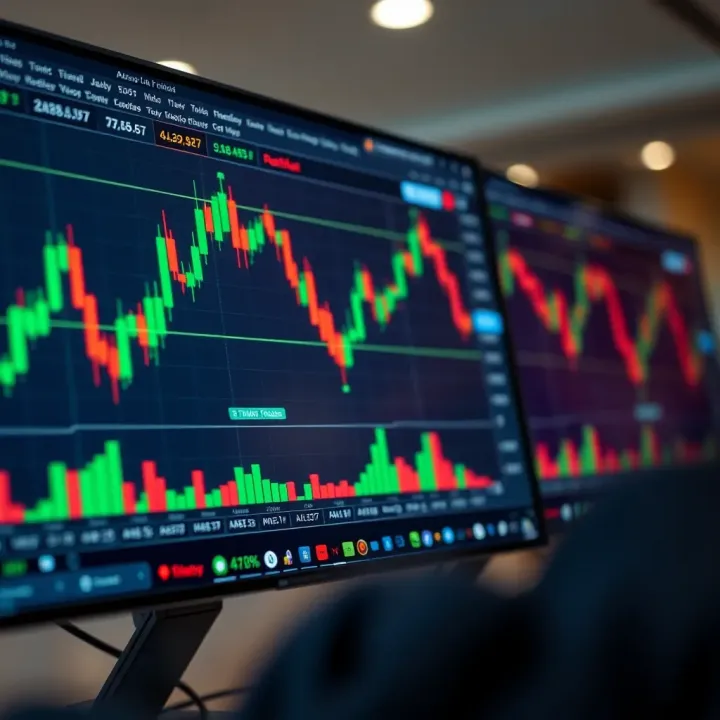
Many local traders face challenges such as volatile rand exchange rates and loadshedding disrupting online activity. Combining TradingView’s offline chart analysis capabilities before placing trades via Binary.com’s responsive mobile platform helps manage these hurdles. For instance, you can set up your analysis on TradingView during off-peak hours or when electricity is stable, then execute trades quickly when conditions are favourable.
Using TradingView and Binary.com together turns speculation into calculated moves, not just guesswork.
Key benefits of this approach for South African traders include:
Access to global market charts with TradingView’s comprehensive data
Quick execution of trades on Binary.com including forex pairs and indices
Flexibility to prepare strategies offline and trade live during limited connectivity
Enhanced risk management through clearer visualisation on TradingView
With trading becoming more accessible, understanding how to integrate platforms effectively can give you a real advantage. The following sections will explore specific ways to use TradingView’s tools alongside Binary.com’s options, tailoring advice for the unique South African trading landscape.
Binary.com serves as a straightforward gateway into options trading, especially for South African traders looking to engage with a platform that balances simplicity with enough features to make informed decisions. Understanding what it offers and where it falls short helps you build better strategies, particularly when combined with more advanced charting tools like TradingView.
Binary.com primarily focuses on binary options, which are essentially bets on whether an asset will be above or below a specific price at a set time. These include classic high/low options, touch/no-touch options, and range options. This variety lets you tailor your trades based on market conditions and your risk appetite — for example, opting for a range trade when markets seem stable or using high/low trades when expecting volatility.
The platform is designed with ease of use in mind. Its web interface is clean and uncluttered, making it accessible for beginners while still functional for seasoned traders. Mobile apps further help you stay connected on the go, crucial for South African traders who often rely on mobile data and need flexible access across different devices.
Binary.com supports several account types, including demo accounts where you can practise without risking real cash. For South African users, deposits can usually be made via popular methods such as bank transfers and credit or debit cards, although availability sometimes varies depending on local banking restrictions. It’s worth double-checking if your chosen payment method attracts extra fees or delays, as this influences your trading efficiency.
One of Binary.com’s biggest draws is how quickly you can place trades. The platform cuts down on unnecessary steps, which suits the fast-paced nature of binary options where timing is critical. For instance, when markets shift rapidly, you can enter or exit positions without getting bogged down by complex menus. This immediacy is advantageous for tactical trades, although it requires vigilance and swift analysis.
Despite providing basic price charts, Binary.com's built-in tools are fairly limited in scope. They lack the depth and customisability found in dedicated platforms like TradingView. For detailed technical analysis — drawing trendlines, applying multiple indicators, or viewing complex timeframes — Binary.com's charts may leave you wanting. This is a key reason traders often pair it with more powerful analytic services.
Binary.com generally offers 24/7 customer support via live chat and email, but response times and quality can vary. It's not a platform heavily regulated by major authorities like the FSCA (Financial Sector Conduct Authority), meaning South African traders should proceed with caution and self-educate on risk management. While the platform operates globally, having limited local regulatory oversight means understanding your own legal obligations and trading responsibly is essential.
Knowing Binary.com’s features and limits sets a firm foundation. It’s ideal for quick, straightforward trades but needs to be combined with other resources to get the most reliable market insight and safeguard your investments effectively.
TradingView offers a powerful suite of charting and analysis tools that can significantly enhance decision-making for binary options traders. For South African users investing through platforms like Binary.com, these tools add precision and insight, helping to spot entry and exit points more clearly. The platform combines accessibility with depth, making it a preferred choice for analysing volatile markets on a local budget.
TradingView supports multiple chart types, including candlestick, bar, and line charts, which are essential for visualising price movements over different time frames. For binary options—which hinge on short-term price movements—candlestick charts prove especially handy because they show open, close, high, and low prices clearly.
Moreover, TradingView offers over 100 technical indicators such as Moving Averages, Relative Strength Index (RSI), Bollinger Bands, and MACD, which help traders interpret market momentum and potential reversals. For instance, a South African trader might use RSI to detect overbought conditions before deciding to place a ‘put’ option on a forex pair like USD/ZAR.
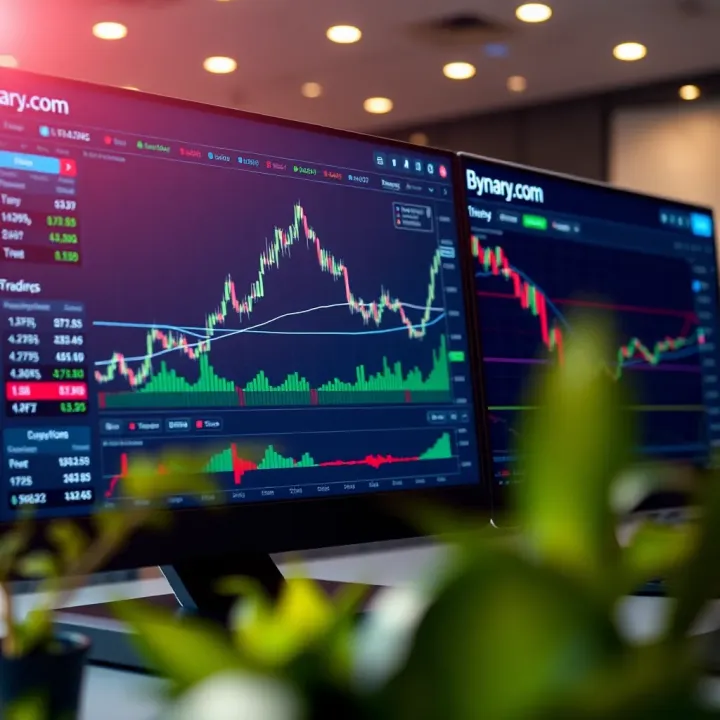
Users can tailor indicators to their trading style by adjusting parameters or layering multiple tools on a single chart. This flexibility lets traders develop strategies that fit their risk appetite and preferred expiry times for binary options. For example, tweaking Moving Average lengths can align better with the typical 5-minute expiry time that many Binary.com users prefer.
Additionally, TradingView's drawing tools allow traders to mark trendlines, support and resistance levels, and Fibonacci retracements. These visual aids help pinpoint price levels that could trigger binary trades, ultimately supporting smarter trading decisions.
TradingView’s active user community shares scripts and trading setups created with the platform’s proprietary Pine Script language. These scripts often include custom indicators or alert systems that can flag trading opportunities automatically.
South African traders can benefit from this collective wisdom by experimenting with community-created tools, saving time on strategy development. Meanwhile, browsing published trade ideas lets users compare their analysis with others, which provides valuable confirmation or alternative perspectives before entering trades.
TradingView offers both free and paid subscription plans. The free tier provides basic charting tools and limited indicators per chart, which are sufficient for many casual traders. However, advanced traders using Binary.com for binary options may find value in paid plans, which include more indicators, multiple charts per layout, and priority customer support.
Choosing between these plans depends on your trading frequency, need for multiple timeframes, and desire to use custom scripts. For South African users mindful of costs, starting with the free plan is sensible before upgrading.
TradingView runs smoothly on desktop browsers and mobile apps available on Android and iOS. Since many South African traders primarily use mobile data, the app's light footprint and offline chart caching can help when connectivity is shaky. Desktop users benefit from full interactive charting and faster trade analysis.
The platform’s compatibility with various devices ensures you can analyse markets anywhere—from a Gauteng office to a small town in the Karoo.
Using TradingView does consume data, especially when loading multiple charts or extensive indicators. For traders relying on limited mobile data bundles, it’s wise to optimise settings by disabling auto-refresh or reducing the number of indicators shown at once.
Firstly, switch off any extra features not essential during analysis. Also, consider using Wi-Fi when available to avoid high data costs, especially in areas with spotty mobile coverage. South African internet prices can make this a genuine cost-saving measure, while maintaining uninterrupted access to crucial market information.
By blending TradingView’s in-depth charts with Binary.com’s straightforward binary options platform, traders in South Africa gain a practical edge in making timely, informed decisions.
Combining Binary.com’s straightforward options trading platform with TradingView’s detailed charting tools offers traders a practical edge. TradingView brings in-depth technical analysis capabilities, which can help pinpoint better entry and exit points on Binary.com’s trades. This blend suits traders who want quick decisions backed by solid data rather than guessing.
TradingView’s real strength lies in its versatile chart types and indicators that reveal price movement trends. South African traders can use these charts to spot clear signals like support and resistance levels or moving average crossovers. For example, when trading forex options on Binary.com, spotting a bounce off a key support on TradingView can signal a good time to buy a call option.
Knowing when to exit is just as vital. TradingView’s oscillators, such as the Relative Strength Index (RSI), can flag when an asset becomes overbought or oversold, suggesting a pullback might be due. Using these insights to time options expiry helps prevent holding trades into unfavourable shifts.
Options on Binary.com require you to pick expiry times carefully since your payout depends on the price at that exact moment. TradingView’s indicators help estimate short-term price movements, critical for setting expiry intervals.
For instance, a trader might watch a Bollinger Bands squeeze on TradingView indicating an imminent price breakout. Placing a binary option trade just before the breakout and choosing an expiry that captures this expected movement can improve chances of success. This strategic use of indicators avoids the guesswork common in binary trading.
Both platforms support live price updates, but TradingView’s robust alerts and chart refresh rates make it ideal for real-time monitoring. Setting alerts when prices cross certain levels or when indicators generate signals allows traders to react quickly on Binary.com.
This is extremely handy during volatile hours or when trading on short expiry times. For example, a South African trader could keep TradingView open in the background on a laptop while executing rapid trades on Binary.com’s mobile app during peak market hours, keeping disruptions from spotty data to a minimum.
Many traders prefer manually analysing charts on TradingView and then entering trades on Binary.com themselves. This approach gives full control and flexibility, allowing users to adjust strategies based on real-time intuition and reactivity.
A trader might notice a sudden trend reversal on TradingView and respond by deploying a new binary option trade tailored precisely to the fresh data. While more hands-on, this method avoids technical dependence on bots, which can malfunction, especially if markets behave unexpectedly.
Some traders explore automation by using third-party software or bots that connect TradingView alerts with Binary.com’s API to place trades automatically. This can execute trades faster and remove emotional biases.
That said, these bots usually require technical skill to set up and carry risks like network lag or misfiring trades in volatile markets. South Africans should ensure bots comply with local regulations and remain cautious about security, especially when sharing account credentials.
Integrating automated tools increases complexity and risk. Bots may react to false signals or sudden market shifts faster than a human can judge, potentially leading to losses. Also, reliance on multiple platforms means if one data feed lags or drops, automated trades might execute incorrectly.
Manual trading isn’t foolproof either—poor timing or misreading charts can cause losses. Traders must prioritise risk management strategies such as setting limits and never risking more than they can afford to lose.
Successful trading requires balancing tools with good judgement. Combining TradingView’s analysis with Binary.com’s execution is powerful, but understanding when to rely on tech or your own insight is what really matters for long-term gains.
For traders in South Africa, combining TradingView's advanced charting with Binary.com’s trading tools means going beyond generic advice. The local context shapes not only strategy but also the practical realities of data costs, connectivity, and regulation. Being aware of these elements can save you money, increase your uptime, and keep you on the right side of the law.
Optimising TradingView settings to reduce data use is essential given the relatively high cost of mobile data in South Africa. You can lower data use by selecting lower timeframes or reducing the number of indicators visible simultaneously. For instance, setting your TradingView chart to update every minute, rather than every few seconds, can trim bandwidth without sacrificing too much on timing accuracy. Also, disabling auto-refresh or reducing chart animations helps limit data consumption.
Using mobile data efficiently means taking advantage of data bundles tailored for low use, especially when you trade on the go using smartphones or tablets. Apps like Vodacom’s MyVodacom or MTN’s app let you monitor your data usage closely. To stretch your rand, consider trading during off-peak data hours when providers sometimes offer cheaper rates. Also, adding exclusive Wi-Fi spots at home or work into your routine can help limit reliance on mobile data.
Backup internet options to avoid disruptions are vital since South Africa experiences frequent loadshedding and occasional network outages. Having a secondary connection, such as a portable Wi-Fi device with a different network provider or a prepaid data SIM card, can keep you trading during outages or weak signals. Some traders keep a power bank dedicated to their trading setup during loadshedding stages, making sure their devices stay online.
Understanding South African financial regulations regarding online trading saves you from headaches down the line. The Financial Sector Conduct Authority (FSCA) is the regulator overseeing trading platforms and financial service providers. Traders using Binary.com should confirm the platform’s regulatory status, particularly since Binary.com operates internationally and may not be authorised locally. Being informed means you can avoid illegal or unlicensed brokers.
Tax considerations on trading profits are often overlooked but essential. SARS expects you to declare income from trading activities, whether occasional or regular. While casual trades might be considered capital gains, frequent trading could be treated as business income, attracting different tax rules. Keeping detailed records of your trades, deposits, withdrawals, and profits will make submitting accurate tax returns easier and help you avoid penalties.
Responsible trading habits are crucial given the high-risk nature of binary options and trading in general. Setting daily loss limits, not chasing losses, and using demo accounts before committing real money are practices that keep your capital protected. South Africans facing socio-economic pressures especially need to avoid overextending their finances. Trading should complement your income, not risk your household essentials.
Practical preparation and local knowledge mean you’re trading smarter, not just harder. A clear head and well-managed setup pay dividends in the chaotic world of online trading.
Covering common questions and concerns plays a vital role for traders looking to combine Binary.com with TradingView. It clears up confusion, builds confidence, and highlights practical issues relevant to South African users. By tackling doubts upfront—like the safety of Binary.com or whether TradingView alone can handle trades—readers get a realistic view instead of guessing or relying on hearsay.
Binary.com operates under a licensed framework and has earned a reputation for reliability globally, but South African traders should do their homework first. The platform uses secure encryption protocols to safeguard user data and funds, which aligns with standard industry practices. However, it’s crucial to confirm that Binary.com complies with local financial regulations, especially since South Africa’s Financial Sector Conduct Authority (FSCA) regulates trading activities and protection measures.
Moreover, users should verify the ease of withdrawals and how convenient deposit methods are when using South African banks or common payment channels like EFT or credit cards. For example, delays in withdrawal processing times can be frustrating if you need to access funds quickly. Traders might also consider using a demo account initially to get a feel for the platform without risking real money.
TradingView excels as a charting and analysis tool but it cannot replace Binary.com for executing trades. Rather, it complements platforms like Binary.com by providing superior charting with indicators and real-time market data. In practice, you analyse market trends on TradingView and then switch to Binary.com to place your actual binary options trades.
For instance, you might spot a trend reversal on TradingView using the RSI indicator then use Binary.com to enter a ‘put’ or ‘call’ option accordingly. Attempting to trade solely on TradingView isn’t possible because it doesn’t handle order execution or broker services. So, think of TradingView as your market weather radar and Binary.com as your trading vehicle.
Speed matters when markets move fast, so start simple. Begin by setting up accounts on both TradingView and Binary.com, using reliable internet on your mobile or desktop. For South African users, make sure your internet data bundle covers enough bandwidth since chart updates and live prices consume data.
Next, customise TradingView charts to suit your trading style—select indicators like moving averages or MACD relevant to binary options. On Binary.com, explore their demo account feature to practise executing trades without risking capital. Once confident, try small trades, checking live charts on TradingView to time entries and exits.
Tip: Keep a notepad or spreadsheet handy to track your trades and reflections, helping you spot what works or needs tweaking later.
Also, equip yourself with snacks and a quick refill of rooibos tea—trading sessions can get intense, and staying alert pays off. If your home internet falters, consider using mobile data or public Wi-Fi cautiously. Finally, always have an eye on your trading limits and never chase losses. Start slow, learn, and gain confidence steadily using both platforms together.
By addressing these practical concerns and clarifying how each platform fits in, traders can approach Binary.com and TradingView with greater clarity and readiness to improve their trading outcomes.
📈 Explore how to pick the right online trading app in South Africa, with tips on features, security, regulations, and common challenges for smarter investing.

📈 Explore synthetic trading in South Africa: how combining financial instruments can replicate asset payoffs, manage risk, hedge, and seize market chances efficiently.
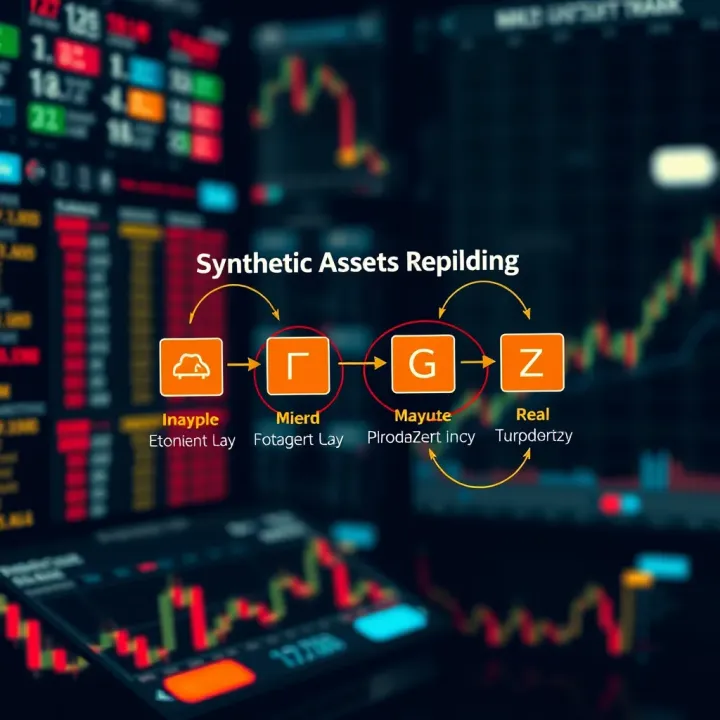
📊 Explore synthetics trading basics, benefits, risks, and platforms. Clear insights for South African traders looking to expand investment options.

Explore The 5ers funded forex program! Learn how to grow capital without risk, understand the evaluation, funding, and benefits for South African traders 💹🇿🇦
Based on 10 reviews